















The Chhattisgarh Professional Examination Board, Raipur, has released the CG Vyapam Junior Judicial Assistant Admit Card on 29th December 2025. Candidates who applied for the Junior Judicial Assistant exam can download their hall ticket from the official website www.vyapam.cgstate.gov.in or by using the link shared in the article.
CG Vyapam will hold the written recruitment exam for Junior Judicial Assistant and Junior Judicial Assistant (Computer) on 4th January 2026 from 11 am to 1:15 pm. Candidates who are appearing for the exam must carry their CG Vyapam Junior Judicial Assistant Admit Card along with a valid ID proof to the exam centre.
CG Vyapam Junior Judicial Assistant Admit Card- Overview
| Conducting Body | Chhattisgarh Professional Examination Board, Raipur |
| Post name | Junior Judicial Assistant and Junior Judicial Assistant (Computer) |
| Vacancy | 133 |
| Admit Card Release Date | 29th December 2025 |
| Exam Date | 4th January 2026 |
| Shift Timings | 11 am to 1:15 pm |
| Selection Process | Written Exam and Document Verification |
| Official website | www.vyapam.cgstate.gov.in |
CG Vyapam Junior Judicial Assistant Admit Card Download Link
The link to download the CG Vyapam Junior Judicial Assistant Admit Card 2025 is now active on the official website of the Chhattisgarh Professional Examination Board, Raipur at www.vyapam.cgstate.gov.in. Candidates can visit the website or use the link shared below to download their admit card and keep it ready for the examination.
Steps to Download the CG Vyapam JJA Admit Card 2025
- Visit the official website of the Chhattisgarh Professional Examination Board, Raipur at www.vyapam.cgstate.gov.in.
- On the homepage, click on the “Admit Card” tab.
- Find and click on the CG Vyapam JJA Admit Card 2025 link.
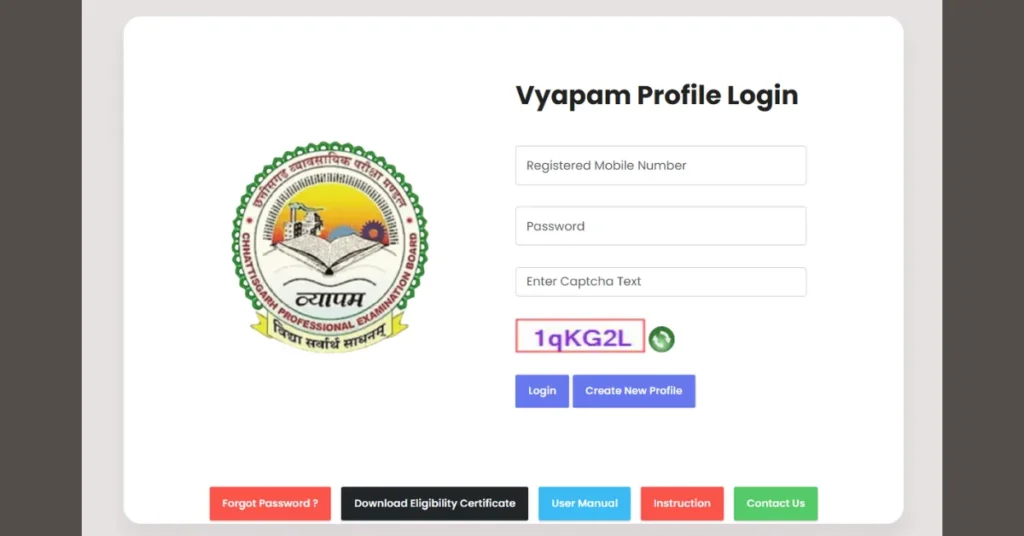
- Enter your registered mobile number and password, then fill in the captcha code.
- After submitting the details, your admit card will appear on the screen.
- Download the admit card as a PDF and take a printout for the exam.