
















The KVS NVS Exam City Intimation Slip 2025 has been released for candidates who applied for 15762 teaching and non-teaching posts. Candidates can download the slip to check the city where their exam will be held. The KVS NVS Exam City Intimation Slip 2025 is available on the official websites www.cbse.gov.in, www.kvsangathan.nic.in, and www.navodaya.gov.in.
Kendriya Vidyalaya Sangathan and Navodaya Vidyalaya Samiti have released Recruitment Notification 01/2025 for 15762 teaching and non-teaching posts. Around 15 lakh candidates have applied and can now check the exam schedule and the KVS NVS Exam City Intimation Slip 2025 for the Tier 1 exam. This slip shows basic details like the candidate’s name, the exam city or state, the exam date, and whether the exam is in the morning or afternoon shift.
KVS NVS Exam City Intimation Slip 2025 – Overview
| Exam Conducting Body | Central Board of Secondary Education (CBSE) |
| Organisation | Kendriya Vidyalaya Sangathan (KVS) and Navodaya Vidyalaya Samiti (NVS) |
| Vacancies | 15762 (KVS- 9921, NVS- 5841) |
| KVS NVS Exam City | 26th December 2025 |
| KVS NVS Admit Card | January 2026 (1st week) |
| KVS NVS Exam Date 2025 | 10th & 11th January 2026 |
| Mode of Exam | Offline (OMR-based) |
| Official website | www.cbse.gov.in www.kvsangathan.nic.in www.navodaya.gov.in |
Also Read : KVS NVS Exam Centre List 2026 Released
KVS NVS Exam City Intimation Slip 2025 Download Link
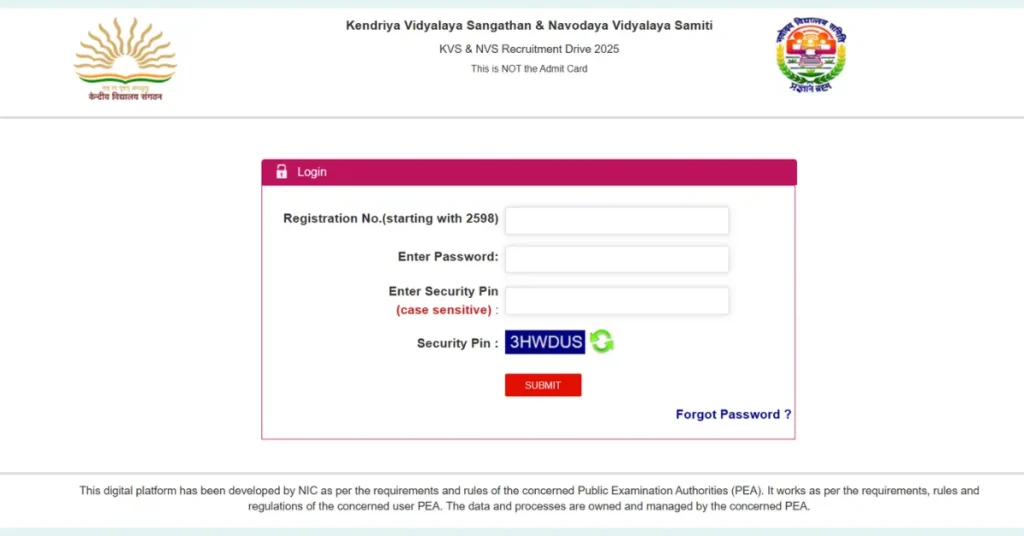
Candidates can download their KVS NVS Exam City slip through CBSE’s recruitment portal at www.examinationservices.nic.in or from www.kvsangathan.nic.in and www.navodaya.gov.in by entering their login credentials (registration number, DOB, captcha). For your reference, the direct link to download the exam city slips is also shared below.
How to download KVS NVS Exam City Intimation Slip 2025
- Visit the official portal at https://examinationservices.nic.in/recsys2025 or https://cbseit.in/cbse/2025/nvsr for KVS and NVS recruitment.
- On the homepage, click on the “Direct Recruitment Drive 2025” or “Exam City Intimation Slip” link.
- Enter your category, registration number or application number, date of birth, and the captcha or security code.
- Submit the details to view the exam city slip on the screen.
- Check details like name, exam city or state, exam date, shift, and the post applied for, then download the PDF.
- Save a digital copy and take a printout for reference.